SampleDecks: 64-Slot Live Sample Player for DJs and Broadcasters
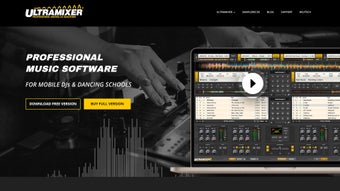
On a busy broadcast desk or behind a DJ booth you need instant, reliable sound cues. SampleDecks, from UltraMixer Digital Audio S, is a professional jingle and sample player built for live triggering. The app lets you organize and fire up to 64 samples with click, keystroke, or controller input and offers visual slot customization, scalable display modes, and per-slot playback controls. It targets DJs, radio and TV broadcasters, streamers, and theater technicians who need predictable cueing in live shows.

Unlock your creativity with Adobe Stock
Get 10 images or 1 video with a free trial
What audio formats does SampleDecks support?
When you load libraries the app accepts common and lossless files, so you can play MP3, WAV, AAC, and FLAC without conversion. It also supports AIFF and OGG, covering broadcast and streaming workflows. Some builds extend file handling to include FLV and MOV, which lets you pair brief video cues with audio during hybrid presentations.
How does SampleDecks fit into a DJ or broadcast rig?
Integration with other tools keeps your sample player in the signal chain. The app connects with UltraMixer DJ software so you can run banks alongside playlist decks. External hardware controllers are supported for tactile triggering, and the interface scales to fullscreen or compact views to match an operator station or a multisoftware console layout.
- Direct UltraMixer DJ integration
- External controller mapping
- Flexible display modes for operator needs
Can the tool sustain long events and large venues?
The player is built with a small system footprint to remain stable during prolonged use, which suits stadium announcements and amusement-park schedules. You can choose a fullscreen display for single-operator visibility or a compact panel when running alongside other software. Those deployment options reduce interface clutter and help you keep cues visible during long sets without shifting windows or layouts.
Is the player aimed at broadcasters or studio producers?
The tool targets live operators more than multitrack producers. Users commonly describe it as a jingle box because its workflow reduces the overhead of full digital audio workstations for simple cueing tasks. That reception places the software with DJs, broadcasters, streamers, podcasters, and theater technicians who need immediate access and predictable playback rather than extensive editing capabilities.
A practical entry point for live performers seeking reliable cueing
If you need a dependable way to call up sounds in performance settings, the tool is a practical option for DJs, broadcasters, and stage technicians who prioritize predictability over multitrack editing. It does not replace a digital audio workstation when you need deep editing or mixing. For anyone who wants a focused, low-risk way to add prepared cues to a live workflow, it opens that door cleanly.